Chrome Extension — Free

Your screen.
Your reading space.

When your prompt grows long and eats your screen — hide it with one click. Reclaim the vertical space you need to actually read the response.
Add to Chrome Works on Claude, ChatGPT, Gemini, perplexity
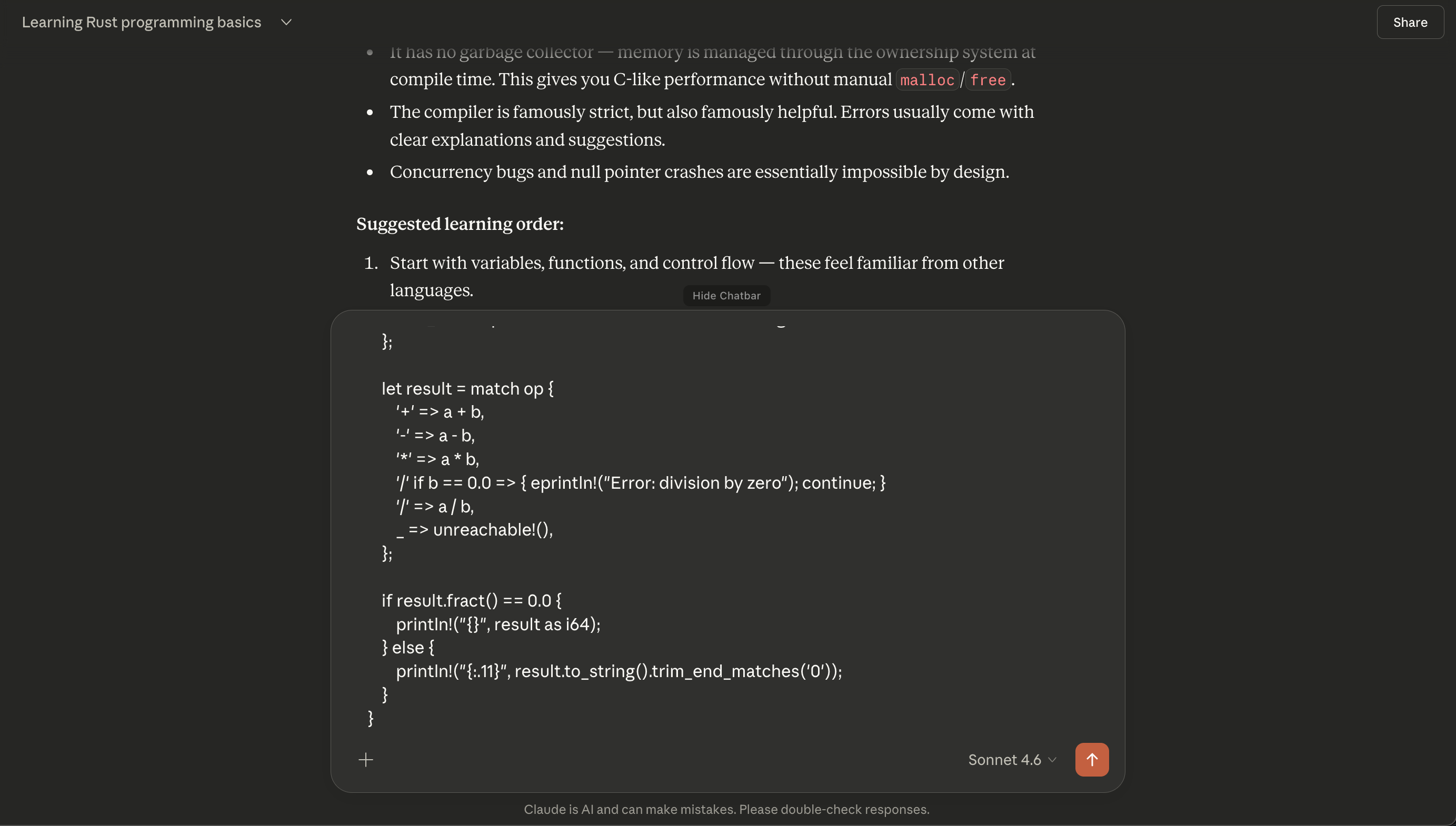
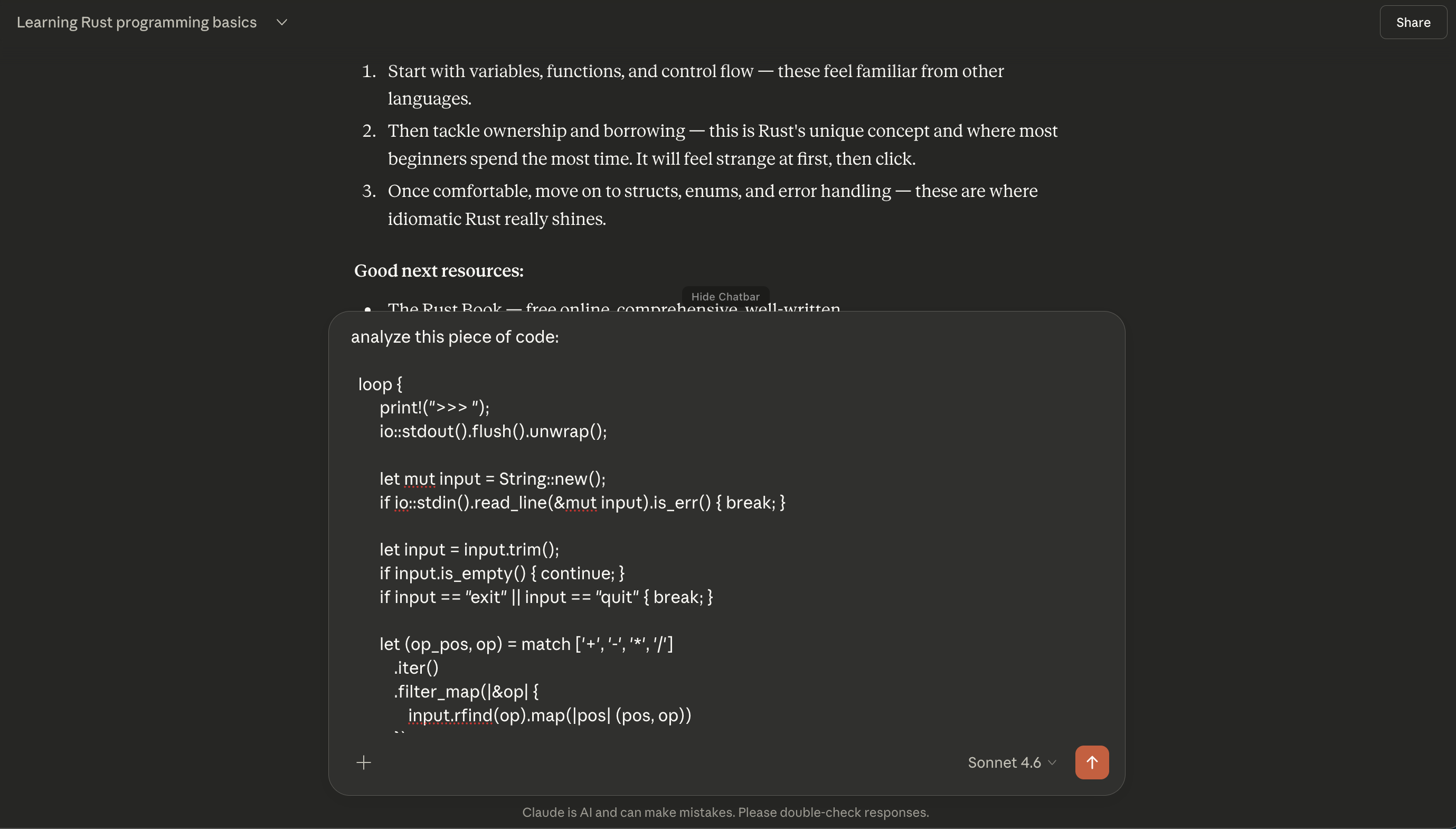
Before — long prompt visible
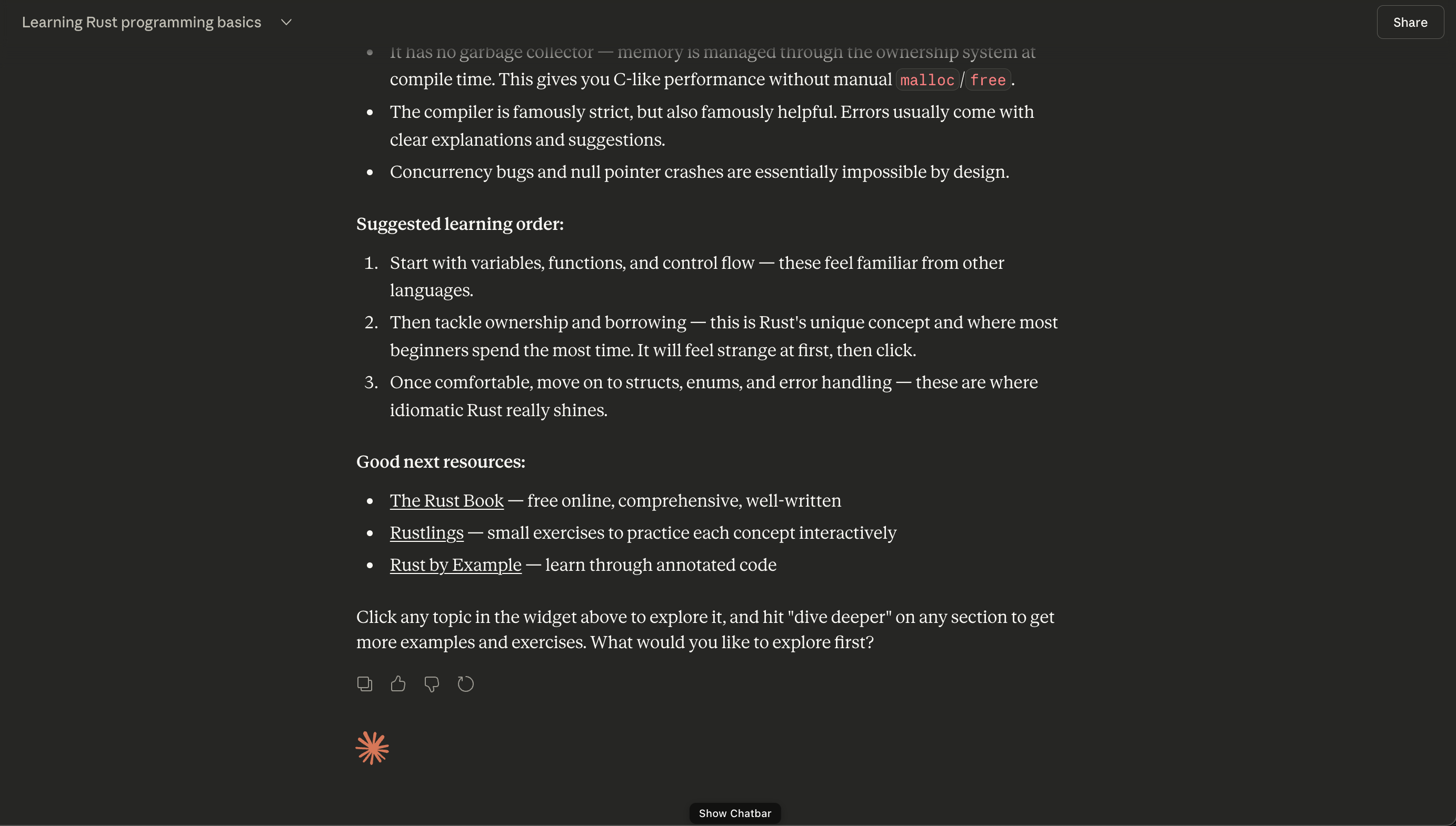
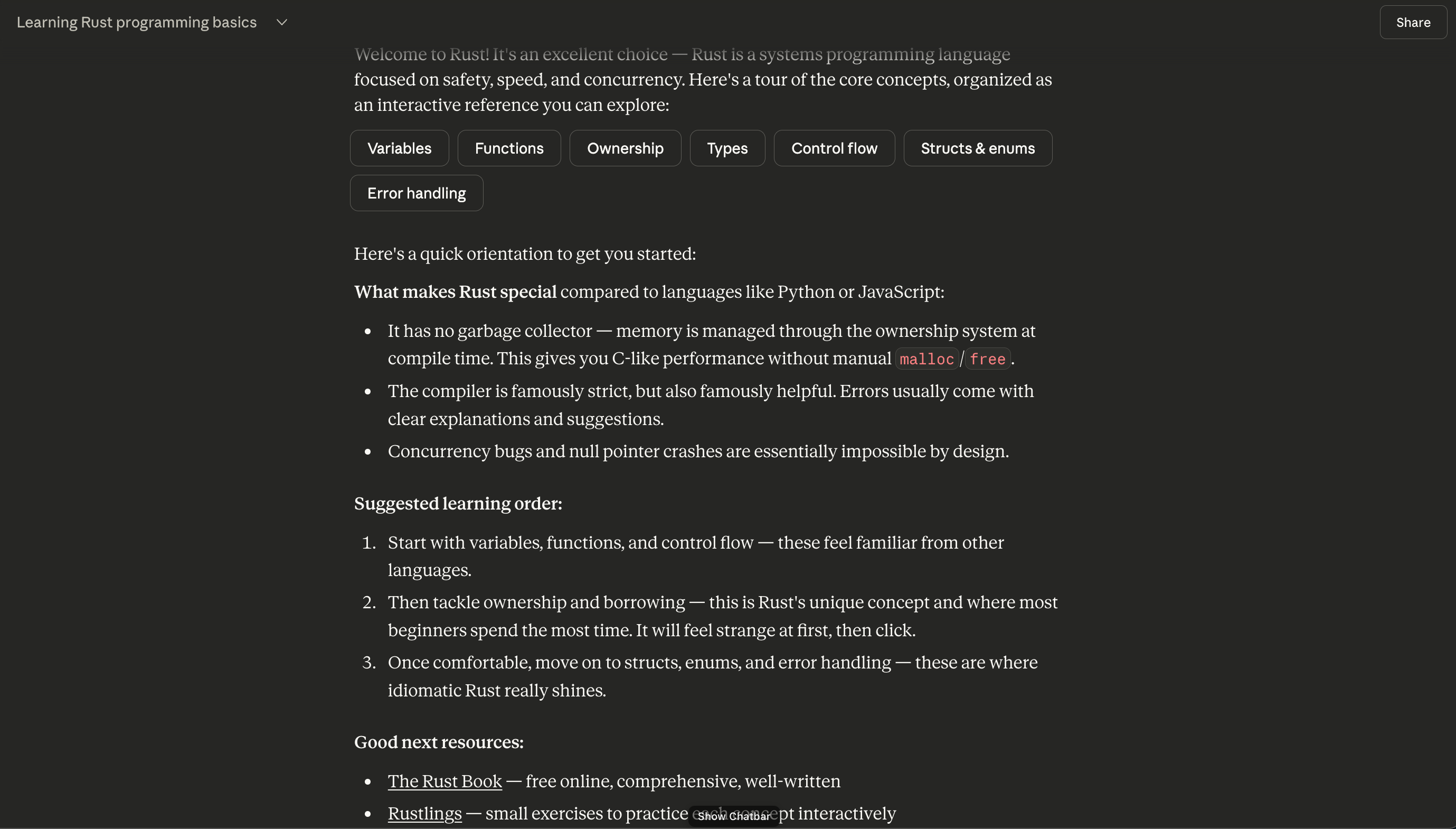
After — prompt hidden
Before After
Features
01
One-click toggle
Click the button in the toolbar or use the keyboard shortcut. The prompt bar disappears instantly, giving you full vertical space to read.
02
Zero data collected
The extension reads nothing and sends nothing. It purely toggles a CSS class. Your conversations stay entirely between you and the AI.
03
Keyboard shortcut
Hit ⌘⇧L on Mac or Ctrl+Shift+L on Windows — prompt bar gone in under 200ms. No mouse required.
In Action
Before
Claude.ai with a long prompt blocking the response
After
Claude.ai with prompt hidden

Works where
you already work.

Supports all major chat interfaces out of the box.

claude.ai Supported
chatgpt.com Supported
gemini.google.com Supported
perplexity.ai Supported

Built for keyboard people.

No mouse. No clicking around. Just hit the shortcut.

+ + L

Mac · Ctrl+Shift+L on Windows & Linux